
Blog
4-Inch Screen Online Thermal Inkjet Printer: Complete Buying Guide for Businesses

A coding printer may be one of the smallest pieces of equipment on a production line, but a coding problem can affect the entire operation.
Imagine a manufacturer running cartons, pouches or containers through a conveyor. Every product needs a batch number, manufacturing date, expiry date, MRP, barcode or QR code. The packaging process is automated, but the coding is still being handled manually or with a printer that is not properly matched to the line.
The result can be inconsistent code placement, operator errors, production interruptions or rejected products.
This is where an online thermal inkjet printer can become part of the production workflow.
But choosing one should involve more than comparing the purchase price or looking at a maximum DPI figure. The actual print height, required code, packaging material, ink, installation arrangement and production conditions all matter.
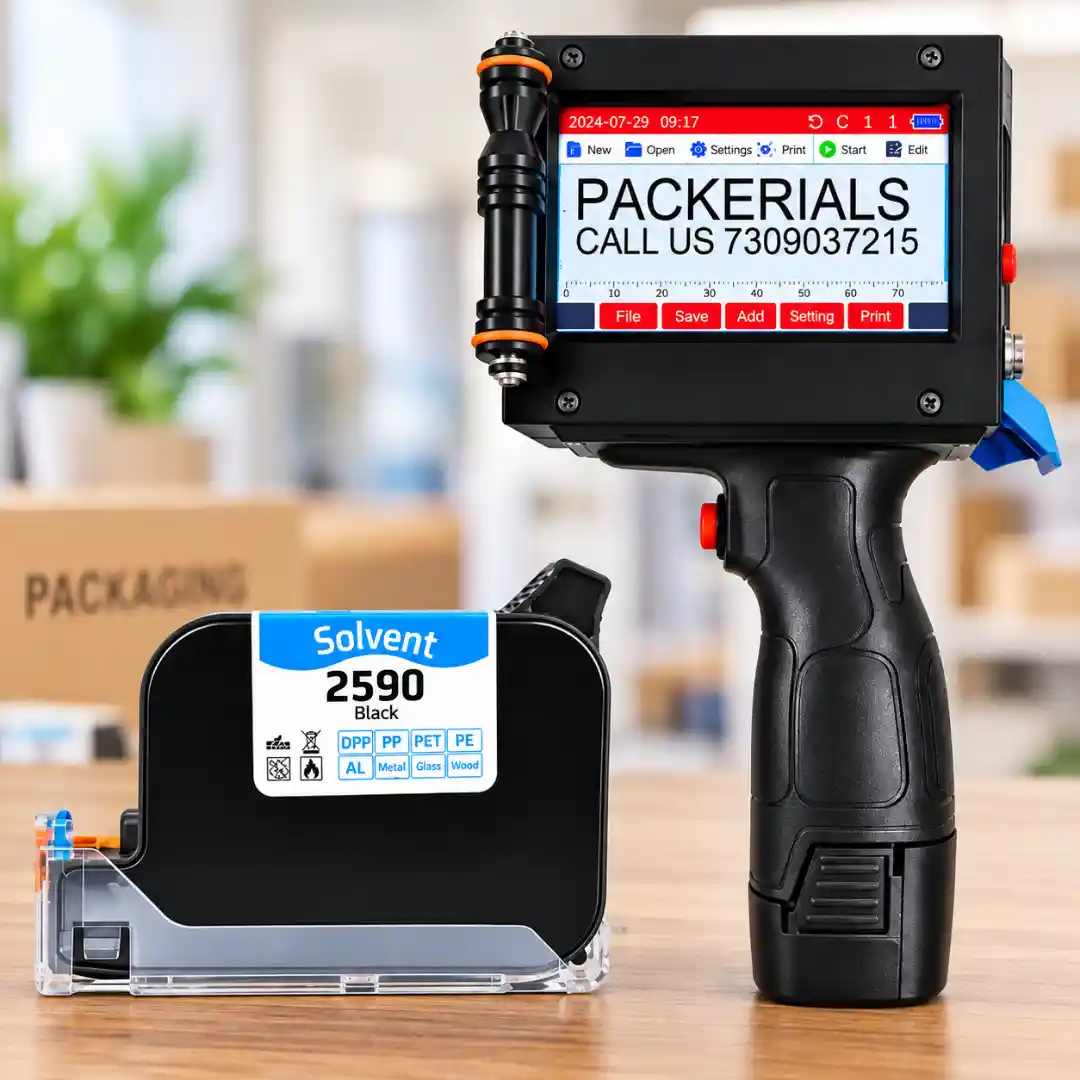
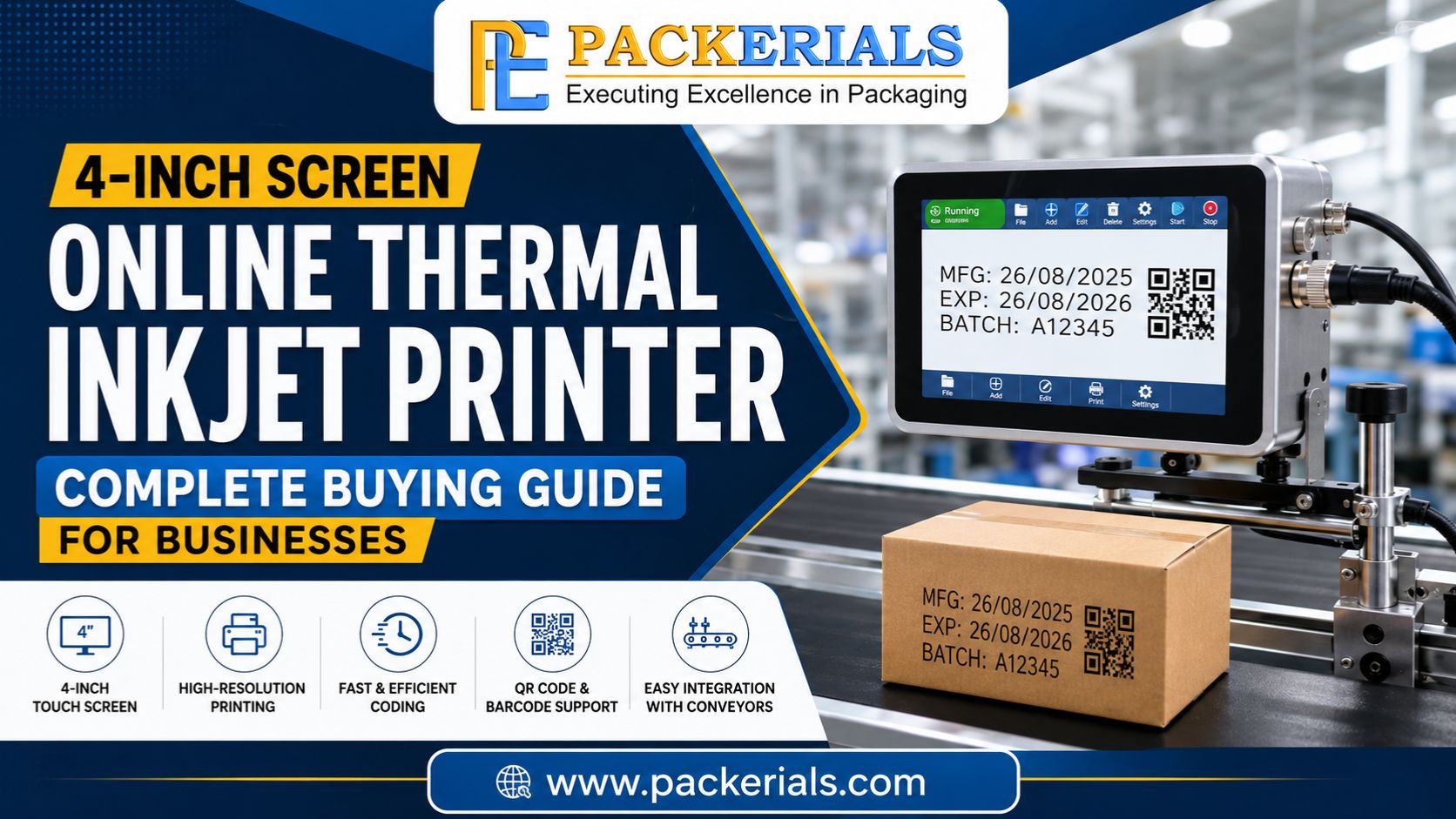
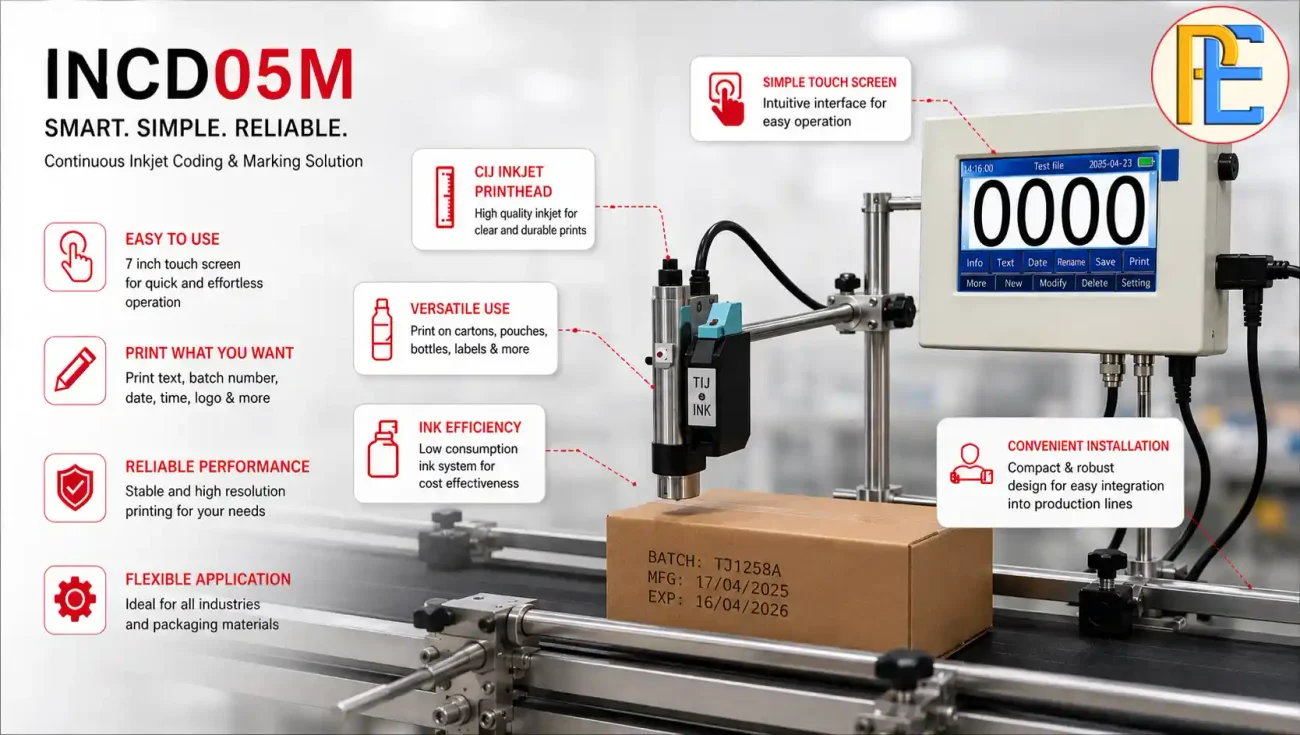
The Packerials INCD05M 4-Inch Screen Online Thermal Inkjet Printer is specified with a 4-inch touchscreen, 12.7 mm maximum print height, up to 600 DPI resolution and support for text, barcodes, QR codes and simple graphics. The listed configuration includes a Syahi Plus black solvent-based ink cartridge.
This guide looks at those specifications from a buyer’s perspective and explains what a business should verify before investing in a 4-inch online TIJ printer.
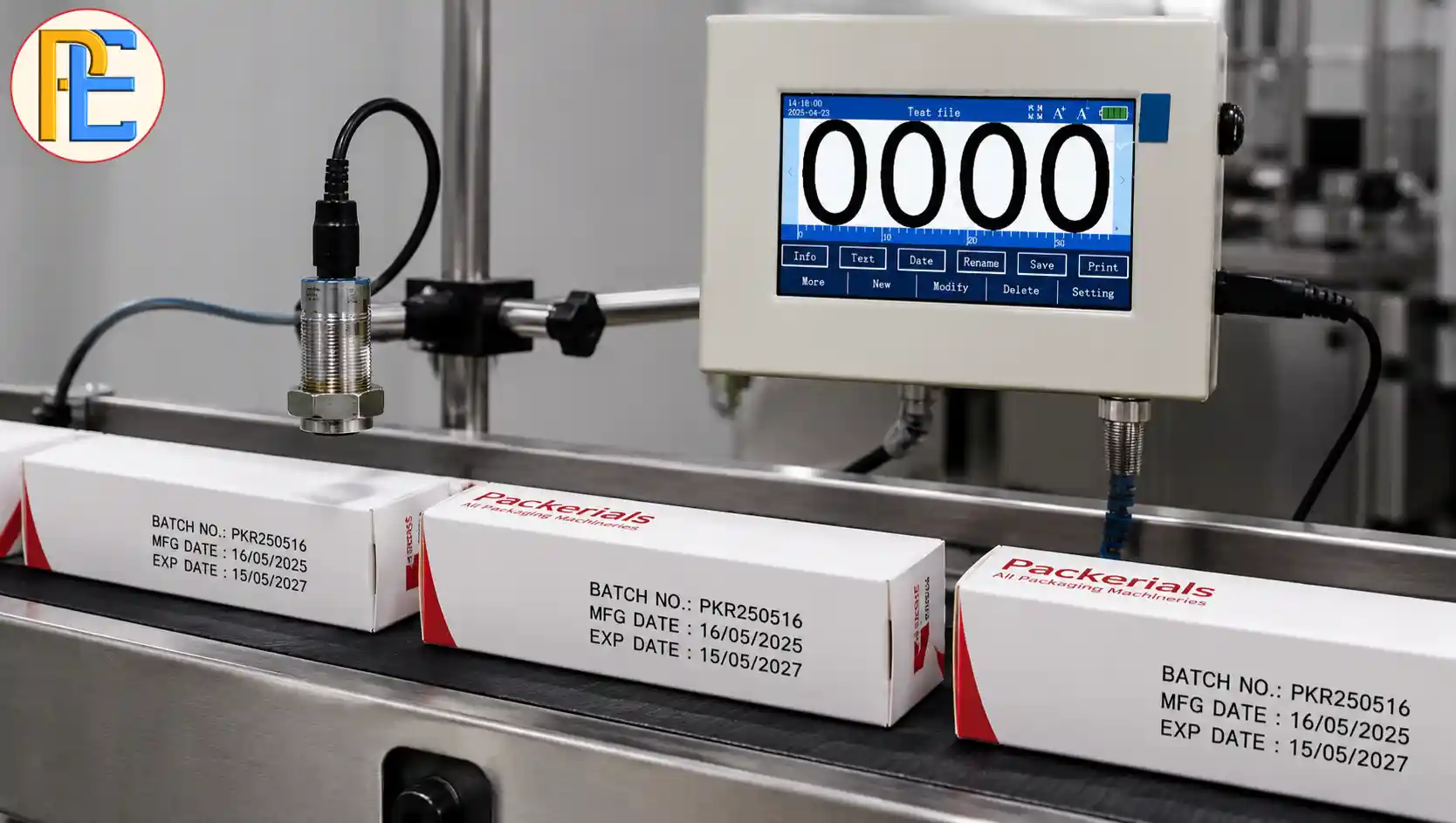
Quick Specifications of the INCD05M
Before looking at individual features, it helps to understand the machine at a glance.
| Specification | INCD05M |
|---|---|
| Model | INCD05M |
| Printing technology | Thermal Inkjet (TIJ) |
| Display | 4-inch touchscreen |
| Maximum print height | 12.7 mm |
| Print resolution | Up to 600 DPI |
| Printing mode | Online / conveyor-based |
| Ink configuration | Syahi Plus black solvent-based cartridge |
| Printing content | Text, barcodes, QR codes and simple graphics |
| Listed surface compatibility | Plastic, metal, glass, carton, wood and laminates |
| Weight | Approximately 3–5 kg |
| Country of origin | China |
These are the specifications currently published for the product. Actual print performance should be confirmed against the customer’s product, substrate and operating conditions before purchase.
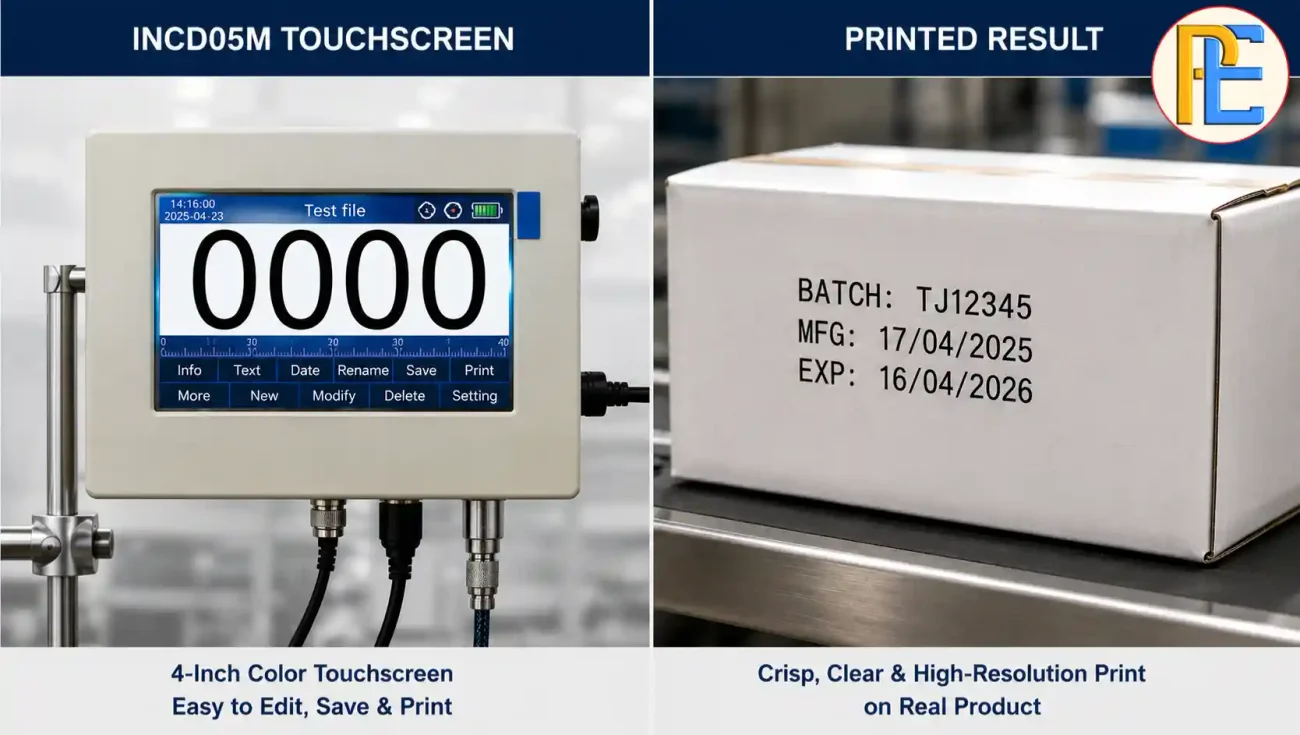
What Does the 4-Inch Touchscreen Mean for the Operator?
A touchscreen is more than a display. On a production coding machine, it is the operator’s main interface for managing print content and settings.
For a business, this matters when operators regularly need to:
- Select a saved message
- Change batch information
- Update dates
- Configure variable information
- Set up barcode or QR-code content
- Monitor the printing process
The INCD05M uses a 4-inch touchscreen for managing print content, adjusting settings and monitoring printing activity.
However, screen size alone should not be treated as a measure of printer capability.
A larger screen does not automatically mean better printing, just as a smaller screen does not necessarily mean poor performance. The more important question is whether the interface allows your operators to perform the required tasks without creating unnecessary opportunities for mistakes.
Understanding the 12.7 mm Maximum Print Height
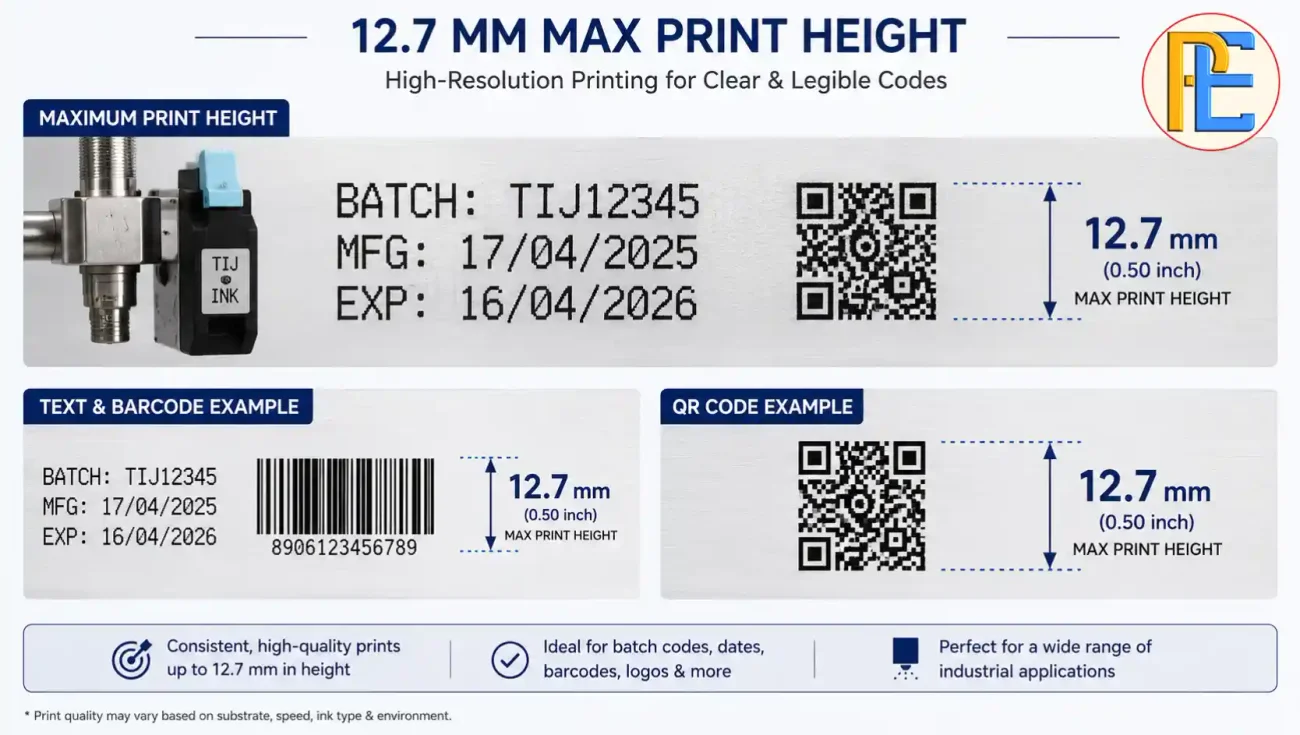
One of the most important specifications to check before buying the INCD05M is its 12.7 mm maximum printing height.
For many everyday coding requirements, this can provide enough space for information such as:
- Batch numbers
- Manufacturing or packing dates
- Expiry information
- MRP
- Product codes
- Short variable messages
- Barcodes
- QR codes
- Simple graphics
But 12.7 mm should not be assumed to be suitable for every application.
A business may have a small blank area on its packaging where only a certain code size can fit. A QR code may require more space than a short batch number. Combining several lines of information also changes the space requirement.
Before purchasing, take the actual product and determine:
How much vertical space is available for the complete code?
Then compare that requirement with the printer’s maximum print height.
When 12.7 mm May Not Be Enough
Consider another printer configuration if your application requires:
- Significantly larger characters
- Large graphics
- A larger marking area
- More complex multi-line information
This is an important buying distinction. A printer should be selected according to the required print area, not simply because 12.7 mm sounds large enough.
What Can the INCD05M Print?
The product is specified to support text, barcodes, QR codes and simple graphics.
That makes it relevant to several common production requirements.
Text
Examples include:
- Batch numbers
- Lot numbers
- Manufacturing dates
- Packing dates
- Expiry or best-before information
- MRP
- Product identification
Barcodes
Barcodes can be used where products need machine-readable identification.
However, printing a barcode and producing a barcode that reliably scans are not necessarily the same thing. The final result depends on factors including code size, contrast, print quality and the scanning system being used.
QR Codes
QR codes can contain substantially more information than a simple batch number, but they also require adequate space and sufficient print quality.
Before production, test the printed QR code using the actual scanner or scanning application that will be used downstream.
Simple Graphics
The printer is also specified to support simple graphics, which can be useful for basic logos or identification marks.
The key word here is simple. Businesses requiring large or highly detailed graphics should confirm whether the printer’s available print area and resolution are appropriate.
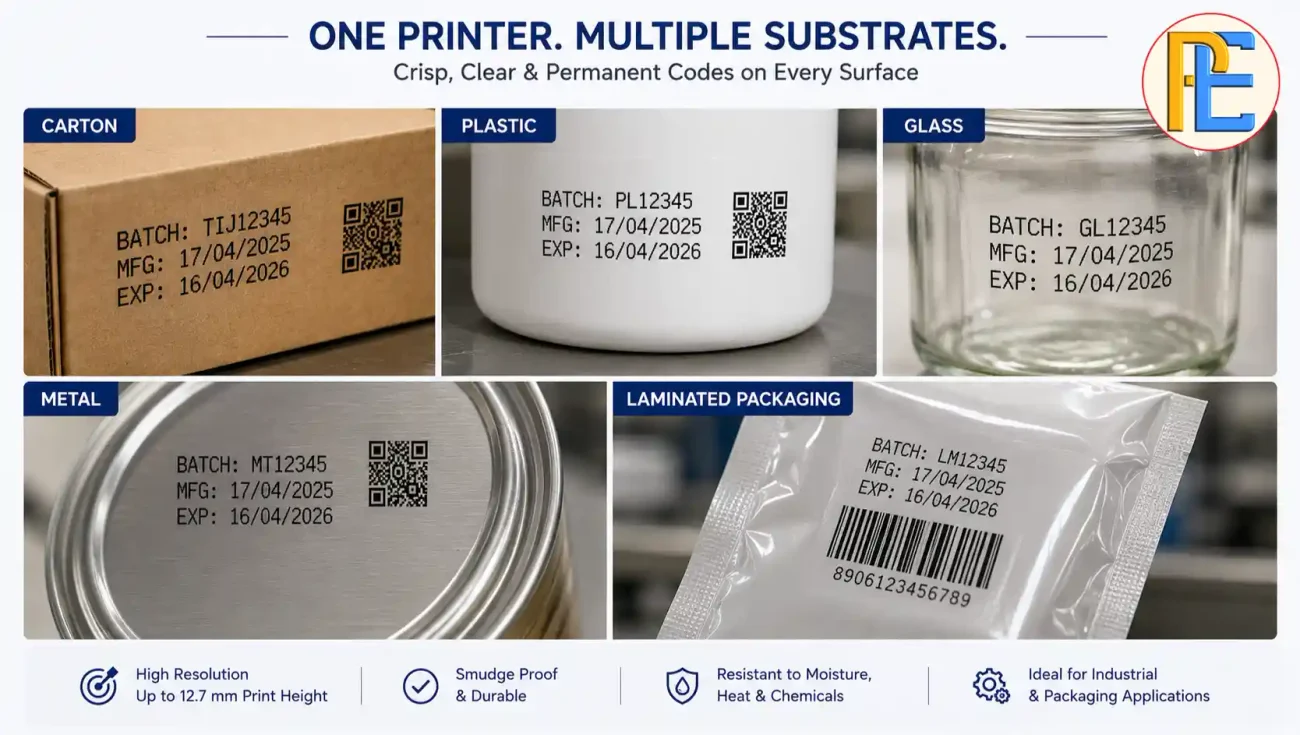
Which Materials Can the INCD05M Print On?
The published product specifications list compatibility with:
- Plastic
- Metal
- Glass
- Carton
- Wood
- Laminates
That is useful as a starting point, but material compatibility should not be interpreted as a guarantee that every product made from that material will produce identical results.
For example, two plastic packages can have different surface finishes. A carton may be coated or uncoated. A laminate can contain different layers.
These differences can influence:
- Ink adhesion
- Drying
- Contrast
- Smudge resistance
- Overall readability
Therefore, the safest approach is to test the actual packaging material, not just a sample described as “plastic,” “metal” or “carton.”
Why Ink Selection Is Part of the Buying Decision
The printer and ink should be treated as one application.
The INCD05M listing specifies a Syahi Plus black solvent-based cartridge and advises users to confirm cartridge compatibility before use.
This matters because the same printing technology may behave differently on different surfaces.
Before production, evaluate:
- Surface type
- Ink adhesion
- Drying time
- Handling immediately after printing
- Required durability
- Environmental conditions
A code that looks sharp immediately after printing may not be suitable if it later smears during handling.
For this reason, businesses should test the complete combination of:
Printer + cartridge + actual substrate + actual production conditions
rather than testing the printer with an unrelated sample.
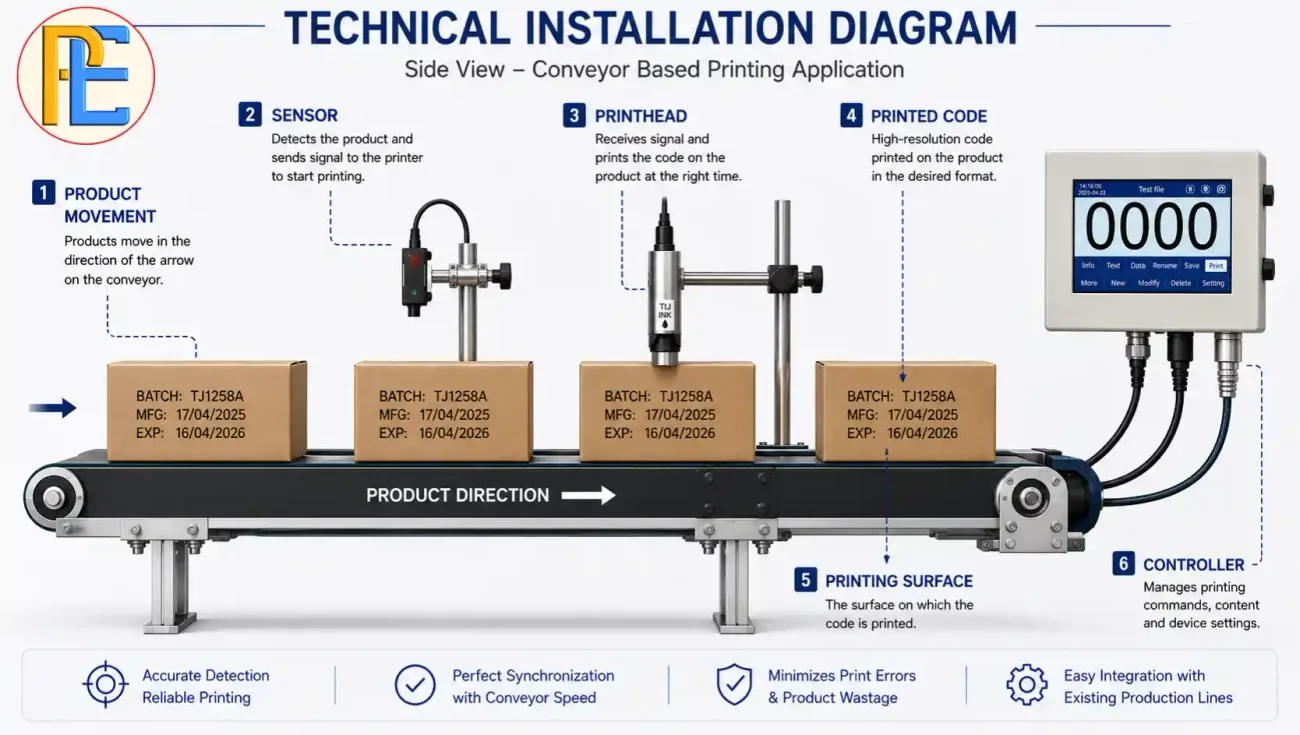
How Should the Printer Be Installed on a Conveyor?
The INCD05M is designed for online/conveyor-based printing.
But installing a printer beside a conveyor is not simply a matter of placing the printhead near the product.
The installation should consider:
Product Position
Products should reach the printing point in a predictable orientation.
Printhead Location
The printhead needs to be positioned correctly relative to the intended print area.
Product Spacing
Consistent product spacing makes repeatable code placement easier.
Conveyor Stability
Excessive vibration or unstable product movement can affect print positioning.
Triggering
The printer needs a reliable way to identify when a product reaches the appropriate printing position.
Operator Access
The operator should still be able to inspect the printer, cartridge and print quality without interfering with production.
What Does “Up to 600 DPI” Actually Mean?
The INCD05M is specified with a print resolution of up to 600 DPI.
DPI is useful for understanding the printer’s potential level of detail, but it should not be used as the only measure of print quality.
The final printed result also depends on:
- Ink
- Substrate
- Printhead position
- Product movement
- Message design
- Required character size
- Printing conditions
For example, a high-resolution printer cannot compensate for an unstable product moving past the printhead.
Similarly, a barcode that is technically printed may still need to be checked for reliable scanning.
The practical test is therefore more important than the number alone:
Can the printer produce the required code clearly and consistently on the actual product?
Online TIJ vs Handheld Inkjet Printer
Businesses moving from manual coding often compare a fixed online printer with a handheld inkjet printer.
| Factor | Online TIJ | Handheld Inkjet |
|---|---|---|
| Product handling | Product moves through a defined printing point | Operator handles printer/product |
| Code positioning | More repeatable in a fixed setup | Depends more on operator movement |
| Production workflow | Integrated with conveyor-based production | Flexible/manual |
| Portability | Lower | Higher |
| Installation | Requires mounting/setup | Minimal installation |
| Best suited to | Repetitive production | Flexible or smaller-batch work |
A handheld printer can be useful where products are irregular, production is limited or portability is more important than automation.
An online TIJ printer becomes more attractive when products repeatedly pass a fixed point and the business wants coding to become part of the production flow.
How Production Speed Should Be Evaluated
A printer’s suitability cannot be judged only by asking:
“How fast can it print?”
The actual requirement depends on the production process.
Consider:
- Product speed
- Product spacing
- Code length
- Print resolution
- Required print position
- Trigger timing
- Conveyor consistency
There is also an important difference between the units used by packaging machines and printers.
A packaging machine may be rated in packs per minute, while printing systems may use metres per minute.
Those measurements describe different things.
For example, a line producing 100 packs per minute does not automatically require a printer rated at 100 metres per minute. Product spacing and the length of the printed area affect the actual requirement.
For that reason, businesses should test the printer at the actual operating speed of their production line rather than relying only on a headline specification.
How Much Does the INCD05M Cost?
The Packerials product page currently lists the INCD05M at ₹21,000, including 18% GST, with a listed original price of ₹25,000. Prices can change, so buyers should verify the current price before purchasing.
But machine price is only the beginning of the calculation.
A business should also consider:
- Ink cartridge cost
- Cartridge consumption
- Installation
- Mounting hardware
- Maintenance
- Replacement parts
- Operator time
- Production downtime
A better purchasing calculation is:
Total Cost of Ownership = Machine + Consumables + Maintenance + Downtime + Installation
If a business prints a large number of products every day, consumable cost can become more significant than a small difference in initial machine price.
Do not estimate cost per print unless actual cartridge yield and consumption data have been established for the specific message, substrate and operating conditions.
What Maintenance Does the Operator Need to Perform?
The product guidance recommends regular printhead cleaning, appropriate cartridge storage, periodic inspection of ink flow and connections, and protection of the printhead from dust.
These tasks are simple enough to include in a routine operating procedure, but they should not be ignored.
A practical daily check can include:
- Is the printed code clear?
- Is the printhead clean?
- Is the cartridge properly installed?
- Is ink flow normal?
- Has the code shifted from its intended position?
- Are there signs of smearing or missing characters?
The objective is to identify small changes before they become production problems.
When the INCD05M May Not Be the Right Choice
A good buying guide should also explain when not to buy a product.
The INCD05M may not be the appropriate option if your application requires:
- A print height significantly greater than 12.7 mm
- Specialized marking technology
- A different ink chemistry
- Unusual substrate requirements
- Printing conditions outside the intended application
- Features not included in the published specification
In such cases, a different TIJ configuration or another coding technology may be more suitable.
The correct approach is not to force an application to fit the printer.
It is to select the printer based on the application’s actual requirements.
10 Tests to Perform Before Buying
Before purchasing an online TIJ printer for a production line, ask the supplier to test the actual application.
1. Test the Actual Product
Do not rely only on a similar-looking sample.
2. Test the Actual Substrate
Use the exact carton, plastic, laminate, glass or metal that will be used in production.
3. Test the Complete Code
Print the actual batch, date, MRP, barcode or QR code.
4. Test the Actual Print Position
Make sure the code fits within the available area.
5. Test Production Speed
Run the machine at the expected operating speed.
6. Check Drying
Handle the product after printing and check whether the code remains intact.
7. Check Barcode/QR Scanning
Use the actual scanner or software where applicable.
8. Test Message Changes
See how easily operators can change between products or batches.
9. Run an Extended Test
A short demonstration may not reveal issues that appear during longer operation.
10. Confirm Consumables
Ask which cartridges are compatible and what information is available about expected consumption.
This type of demonstration provides much stronger evidence than choosing a printer based solely on a specification sheet.
Who Should Consider the INCD05M?
The INCD05M may be worth considering for businesses that need:
- Conveyor-based online coding
- Up to 12.7 mm print height
- A 4-inch touchscreen interface
- Text, barcode and QR-code printing
- Simple graphics
- Solvent-based black ink
- Coding on suitable plastic, metal, glass, carton, wood or laminated surfaces
- A compact online printing setup
Its suitability should still be confirmed through an application test.
Consider an Alternative When:
- Your required print height is substantially larger
- Your product requires specialized ink
- Your substrate presents unusual adhesion or drying challenges
- Your production requirements exceed the machine’s intended application
- You require capabilities not included in the INCD05M specification
This is why a proper application assessment should come before the final purchase decision.
Also Read: https://packerials.com/batch-coding-machine-price/
Final Buying Verdict
The 4-Inch Screen Online Thermal Inkjet Printer INCD05M is best viewed as a compact online coding solution for applications that fit its published specifications.
Its key characteristics include a 4-inch touchscreen, 12.7 mm maximum print height, up to 600 DPI resolution, support for text/barcodes/QR codes and simple graphics, and conveyor-based operation. The current product listing also specifies a Syahi Plus black solvent-based cartridge.
But specifications alone should not determine the purchase.
Before ordering, confirm five things:
1. Print area — Is 12.7 mm sufficient?
2. Substrate — Does the selected ink perform on the actual surface?
3. Code — Can the required text, barcode or QR code be produced and read reliably?
4. Production line — Can the printer be installed and triggered correctly at the required speed?
5. Operating cost — What will cartridges, maintenance and downtime cost over time?
If those five areas match your application, the INCD05M can be a practical option for businesses looking to move toward consistent online batch and variable-information coding.
The best buying decision is not the printer with the longest feature list. It is the printer that can produce the required code, on the actual product, at the actual production rate, with a manageable operating cost.
Frequently Asked Questions
What is a 4-Inch Screen Online Thermal Inkjet Printer?
A 4-Inch Screen Online Thermal Inkjet Printer is a digital coding and marking machine designed to print variable information such as MRP, batch numbers, manufacturing dates, expiry dates, barcodes, and QR codes directly onto products and packaging.
What can a 4-Inch Screen Thermal Inkjet Printer print?
It can print text, numbers, logos, batch codes, MRP, manufacturing and expiry dates, barcodes, QR codes, and other variable product information on suitable packaging surfaces.
Which businesses can use a 4-Inch Screen Online Thermal Inkjet Printer?
It is suitable for food and beverage, pharmaceutical, cosmetics, FMCG, chemical, agriculture, and other manufacturing businesses that need fast and reliable online product coding.
Can this printer print MRP, batch number, and expiry date simultaneously?
Yes. Depending on the printer model and software, multiple fields such as MRP, batch number, manufacturing date, expiry date, barcode, and QR code can be included in the same print message.
Can a 4-Inch Thermal Inkjet Printer print on moving products?
Yes. Online thermal inkjet printers are designed to integrate with production conveyors, allowing codes and variable information to be printed while products or packaging are moving.
What is the maximum printing height of a 4-Inch Thermal Inkjet Printer?
The maximum print height depends on the specific model and printhead configuration. A 4-inch system is designed for larger coding requirements compared with standard small-format thermal inkjet printers.
What factors should businesses consider before buying a 4-Inch Thermal Inkjet Printer?
Businesses should consider print height, printing speed, ink compatibility, print quality, substrate compatibility, touchscreen controls, conveyor integration, maintenance requirements, connectivity, and the availability of after-sales support.
Is a 4-Inch Screen Online Thermal Inkjet Printer suitable for barcode and QR code printing?
Yes. Compatible models can print barcodes and QR codes for product identification, inventory management, traceability, and customer information, provided the selected printer supports the required code format and resolution.
How much does a 4-Inch Screen Online Thermal Inkjet Printer cost?
The price varies depending on print specifications, screen size, printhead configuration, ink system, software features, and accessories. Businesses should compare the complete machine and operating cost rather than focusing only on the initial purchase price.
Why should businesses choose Packerials for a 4-Inch Online Thermal Inkjet Printer?
Packerials provides coding and marking solutions designed for different manufacturing and packaging requirements. Businesses can choose a suitable printer based on their production speed, packaging material, printing requirements, and application needs.