
Blog
7 Signs Your Thermal Inkjet Printer Needs Servicing


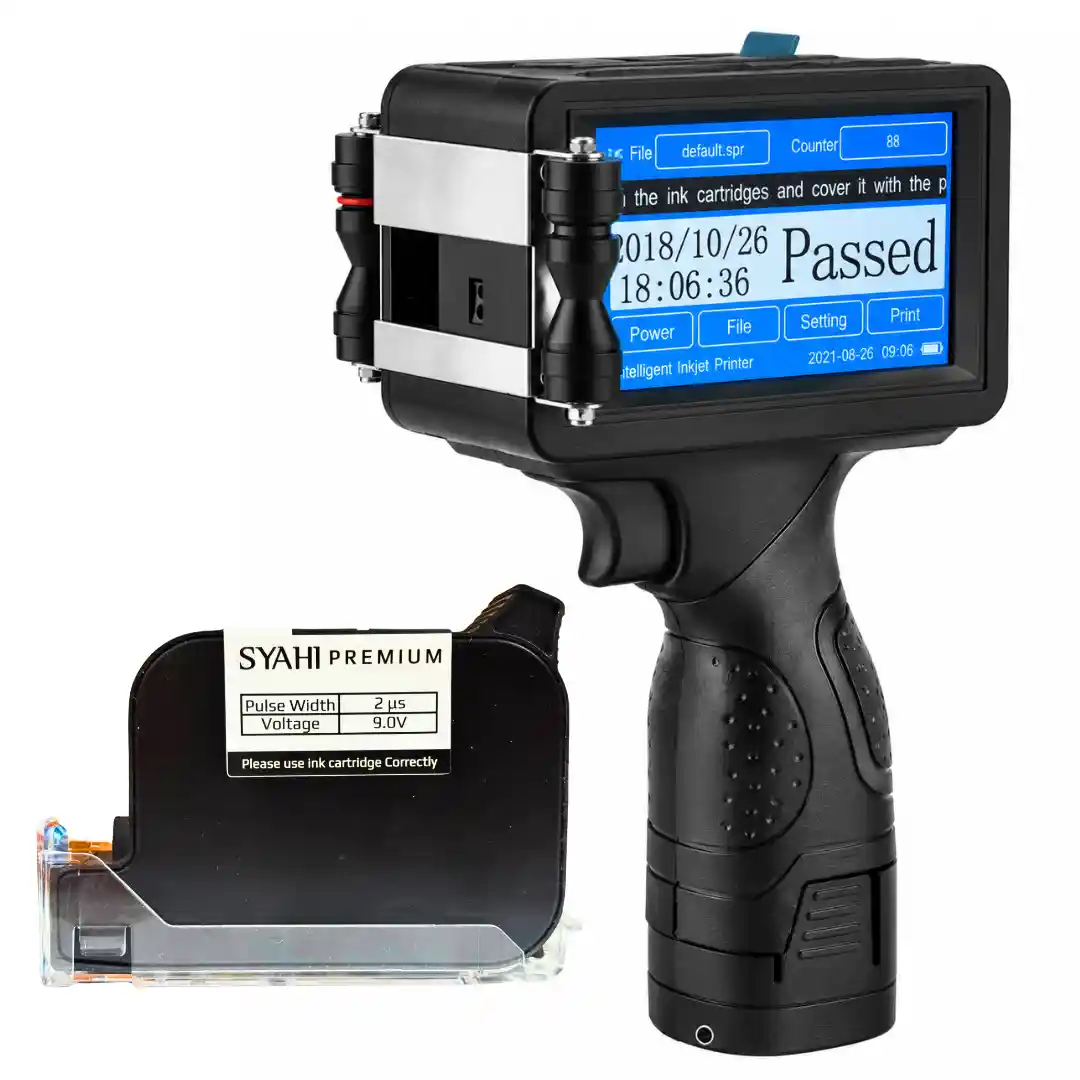
A thermal inkjet printer (TIJ) can deliver reliable coding for years when you maintain it properly. However, regular production can eventually affect print quality, cartridges, sensors, and other parts.
Most problems do not appear suddenly. The printer often gives small warning signs first.
Here are seven signs that your TIJ printer may need servicing.
1. Print Quality Becomes Inconsistent
Faded characters, missing dots, blurred text, or incomplete codes are common signs of a printing problem.
Start by checking the cartridge, printhead, print settings, and distance between the printhead and the product. Clean the printhead according to the manufacturer’s instructions and run a test print.
If the problem continues after these basic checks, the printer may need professional servicing.
2. Nozzles Keep Getting Blocked
Blocked nozzles can create gaps in letters, numbers, barcodes, and other printed information.
Some cleaning is normal during regular TIJ operation. However, repeated nozzle blockage can indicate a deeper issue.
Check for ink buildup around the printhead and make sure the cartridge is installed correctly. If the same nozzles continue to block after cleaning, have the printer inspected.
3. The Touchscreen or Controls Stop Working Properly
The control panel is important for changing messages, adjusting settings, and operating the printer.
If the touchscreen responds slowly or certain areas do not respond, the printer can become difficult to operate. Physical switches can also become loose or work intermittently.
Test the controls and check accessible connections. If the problem remains, arrange for servicing.
Do not open electrical components unless you have the required technical qualifications.
4. Ink Consumption Suddenly Increases
A sudden increase in ink consumption can indicate a change in printer settings or a hardware problem.
First, compare the current message with an older message. Check the font size, print height, resolution, and message length.
Also inspect the cartridge for incorrect installation or leakage.
If production volume and print settings remain similar but ink consumption continues to increase, the printer should be inspected.
5. The Printer Stops or Shows Repeated Errors
Frequent stoppages and repeated error messages should not be ignored.
Check the product sensor and accessible connections first. Note the exact error message and when the problem occurs.
If restarting the printer only fixes the issue temporarily, avoid repeatedly resetting it. The underlying cause should be identified and repaired.
6. The Printer Needs Cleaning More Often
Regular cleaning is part of normal TIJ maintenance. However, a sudden increase in cleaning frequency deserves attention.
Check the printhead for ink buildup or contamination. Also check whether the cartridge, packaging material, or operating conditions have changed.
If frequent cleaning does not resolve the problem, professional servicing may be required.
7. Print Quality Drops at Production Speed
A TIJ printer may produce a clear code during a slow test but struggle when the production line reaches its normal speed.
Look for stretched, compressed, faint, or incorrectly positioned characters.
Check the printhead distance, sensor position, print delay, and other relevant settings. Run another test at the actual production speed.
If the code still loses quality, the printer may need adjustment, calibration, or servicing.
Quick TIJ Printer Service Checklist
Before calling a technician, check these basic points:
- Print: Run a test and check for faded or missing characters.
- Printhead: Look for ink buildup or contamination.
- Cartridge: Check ink level, installation, and contacts.
- Settings: Check speed, delay, resolution, and message settings.
- Sensor: Make sure the printer detects every product correctly.
- Controls: Test the touchscreen and operating switches.
- Connections: Check accessible cables and connections.
- Production test: Check print quality at normal line speed.
If the problem remains after these checks, contact a qualified technician instead of attempting an internal repair.
When Should You Service a Thermal Inkjet Printer?
You do not need to wait until the printer completely fails.
If the same problem keeps returning after cleaning or basic adjustments, arrange an inspection. Early servicing can help identify developing faults before they cause major production delays.
This is especially important for businesses that depend on continuous packaging and accurate batch coding.
Keep Small Printing Problems From Becoming Production Problems
Print quality, nozzle performance, ink consumption, error messages, controls, and production speed can all indicate the condition of a thermal inkjet printer.
When something changes, check it early.
A small coding problem is easier to fix before it leads to unreadable batch numbers, rejected products, or production downtime.
If your TIJ printer continues to show any of these signs after basic checks, professional inspection can help identify the cause and determine whether the machine needs cleaning, adjustment, calibration, or repair.
Also Read: https://packerials.com/how-to-reduce-ink-consumption-in-your-thermal-inkjet-printer/
Frequently Asked Questions
How do I know if my thermal inkjet printer needs servicing?
Common signs include inconsistent print quality, blocked nozzles, increased ink consumption, repeated error messages, touchscreen problems, frequent cleaning, and poor printing performance at production speed.
How often should a thermal inkjet printer be serviced?
The service frequency depends on printer usage, production conditions, ink type, and manufacturer recommendations. Regular inspection and maintenance can help identify problems before they cause production downtime.
Why is my thermal inkjet printer printing faded or incomplete codes?
Faded or incomplete codes can result from blocked nozzles, ink buildup, incorrect print settings, cartridge issues, or an incorrect printhead distance. Basic cleaning and setting checks should be performed first.
Why do TIJ printer nozzles keep getting blocked?
Repeated nozzle blockage may be caused by ink buildup, contamination, incorrect cartridge installation, unsuitable operating conditions, or other printer issues. Persistent blockage may require professional inspection.
Why is my thermal inkjet printer using more ink than usual?
Higher ink consumption can be caused by changes in font size, resolution, print height, message length, or printer settings. Cartridge installation or leakage can also contribute to increased consumption.
Can regular cleaning prevent thermal inkjet printer problems?
Regular cleaning can help maintain print quality and reduce ink buildup and nozzle-related problems. However, cleaning alone may not resolve issues caused by damaged components or incorrect settings.
Why does my TIJ printer show repeated error messages?
Repeated errors can be related to sensors, connections, printer settings, cartridges, or internal components. Note the exact error message and check accessible connections before arranging professional servicing.
Why does print quality decrease when production speed increases?
Poor print quality at higher production speeds can be related to printhead distance, sensor position, print delay, resolution, or other settings. Testing the printer at its normal production speed can help identify the issue.
What should I check before calling a TIJ printer technician?
Check the cartridge, printhead, printer settings, product sensor, accessible connections, touchscreen controls, and print quality. Run a test print at normal production speed before contacting a technician.
Why is professional servicing important for a thermal inkjet printer?
Professional servicing can help identify recurring problems, perform necessary adjustments or calibration, and prevent minor printing issues from developing into production delays, rejected products, or extended downtime.