
Blog
How to Reduce Ink Consumption in Your Thermal Inkjet Printer?


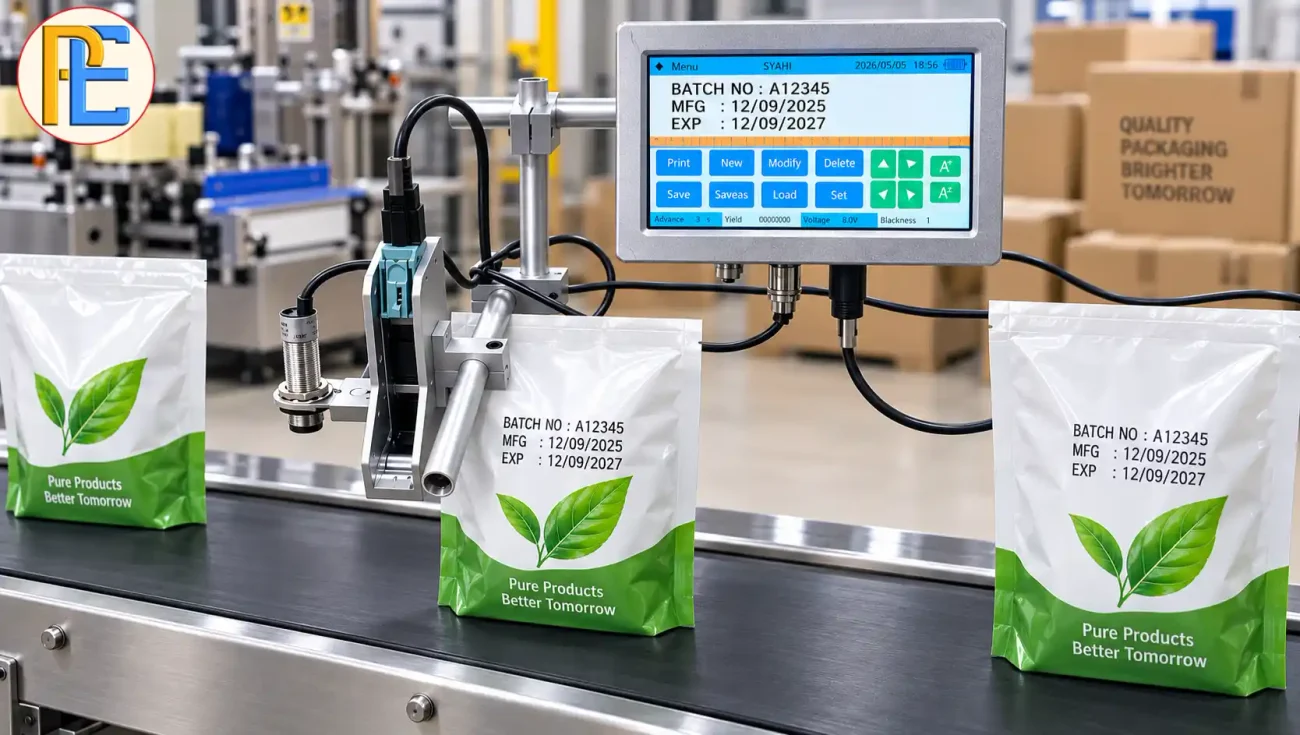
A thermal inkjet printer can print batch numbers, manufacturing dates, expiry dates, barcodes, and other information on packaging. But many factories notice a problem after months of production: ink cartridges finish faster than expected.
High ink consumption can increase your coding cost. It can also point to incorrect printer settings, poor maintenance, or unnecessary printing.
The good news is that you can often reduce ink consumption without affecting code quality. You only need to check a few important areas.
1. Use the Right Font Size for Your Product
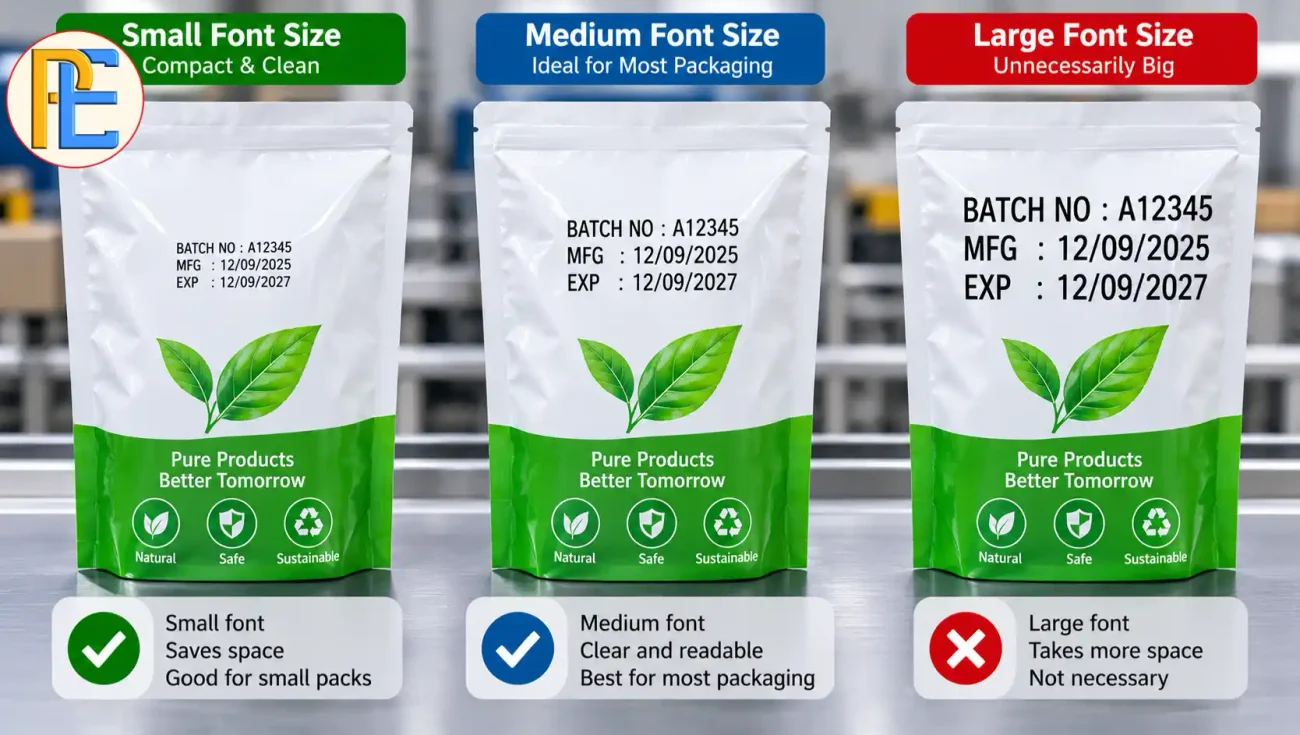
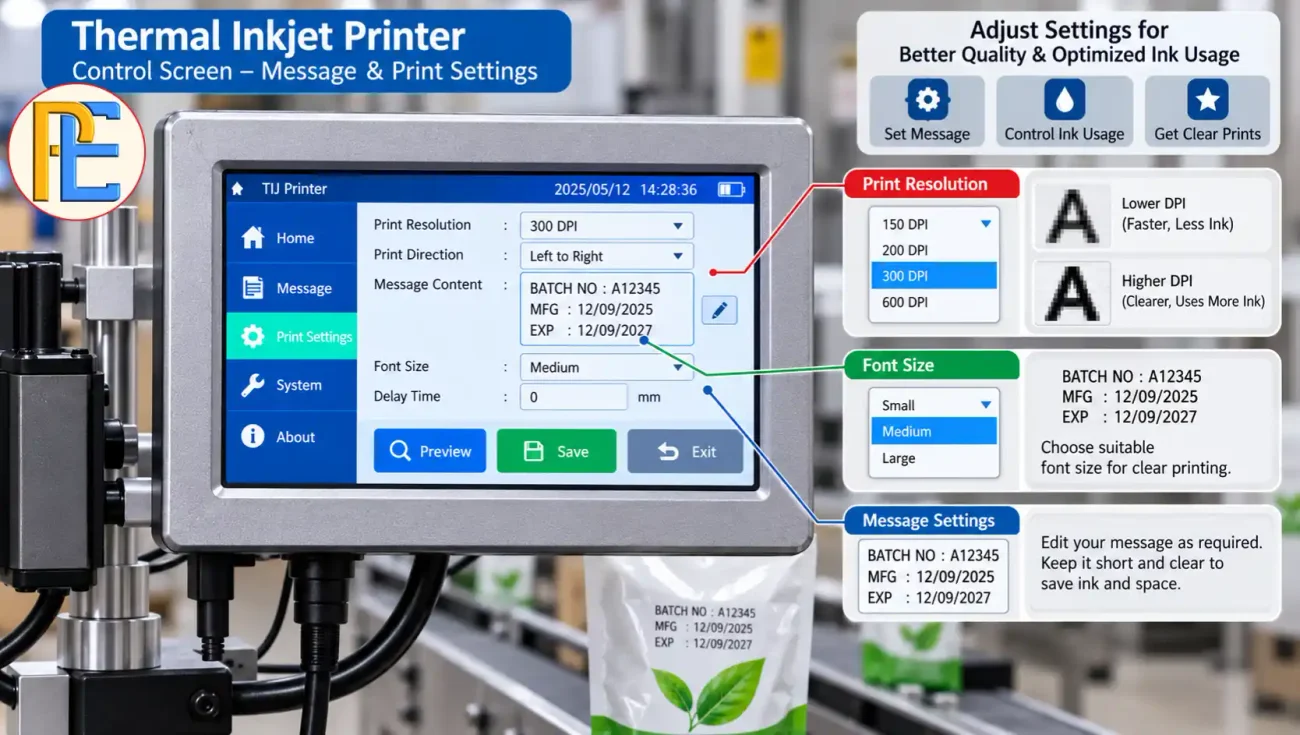
Font size directly affects ink consumption. Large characters need more ink than small characters.
Choose a character size that remains easy to read on the product. Avoid using oversized text when the packaging does not require it.
For example, a small pouch may only need a compact batch number and expiry date. Printing these details in very large characters can increase ink usage without adding value.
Always balance readability with ink consumption.
2. Avoid Printing More Information Than Needed
Every additional character uses ink.
Review your printing message and remove information that does not need to appear on the package. However, never remove information that the product or applicable regulations require.
Keep the message simple and clear. A shorter message can reduce ink use and also make the code easier for operators to manage.
For food and packaged goods, check the applicable labeling requirements before changing your message.
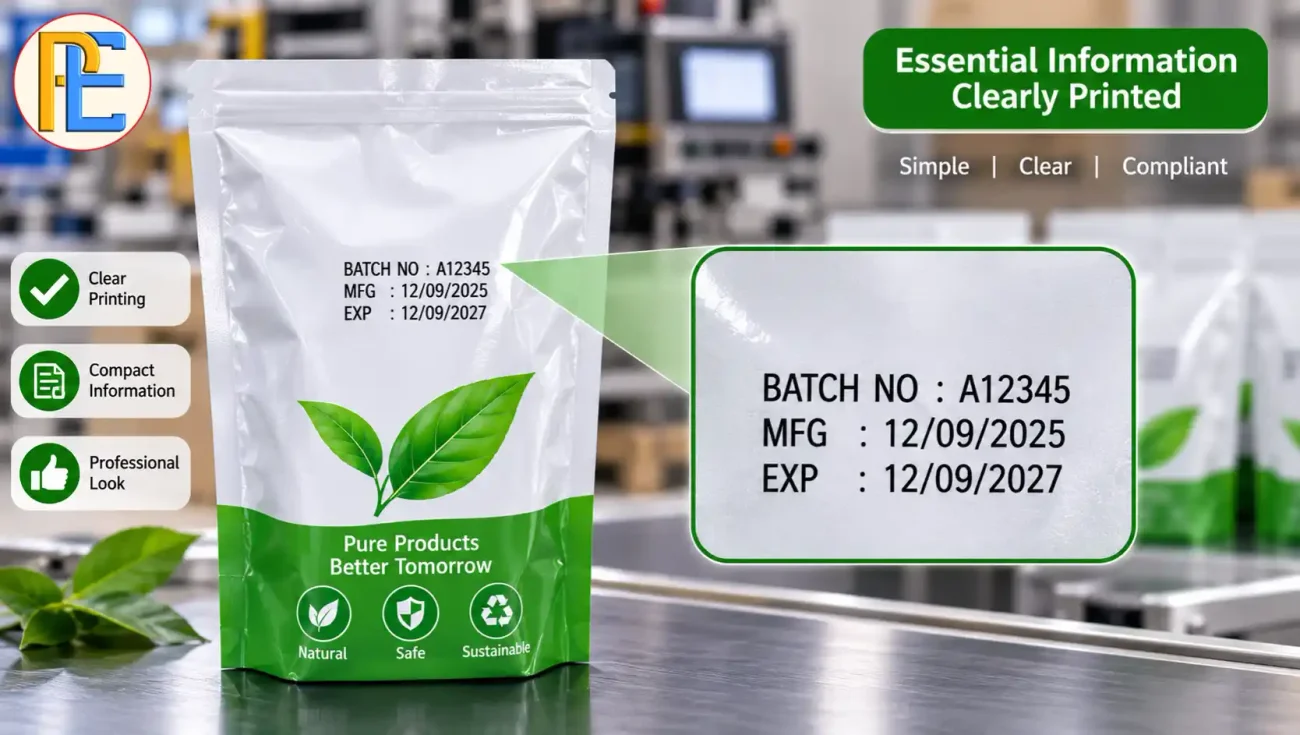
Image purpose: Show how required information can remain clear without using an unnecessarily long message.
3. Check Your Print Resolution Settings
Print resolution controls how much detail the printer puts into the code.
A higher resolution can produce sharper printing, but it may also increase ink consumption. Your product may not need the highest available setting.
Test different suitable settings on the actual packaging material. Select the lowest setting that still produces a clear and readable code.
Do not reduce resolution too much just to save ink. An unclear batch code can create bigger problems than the cost of extra ink.
4. Keep the Printhead at the Correct Distance
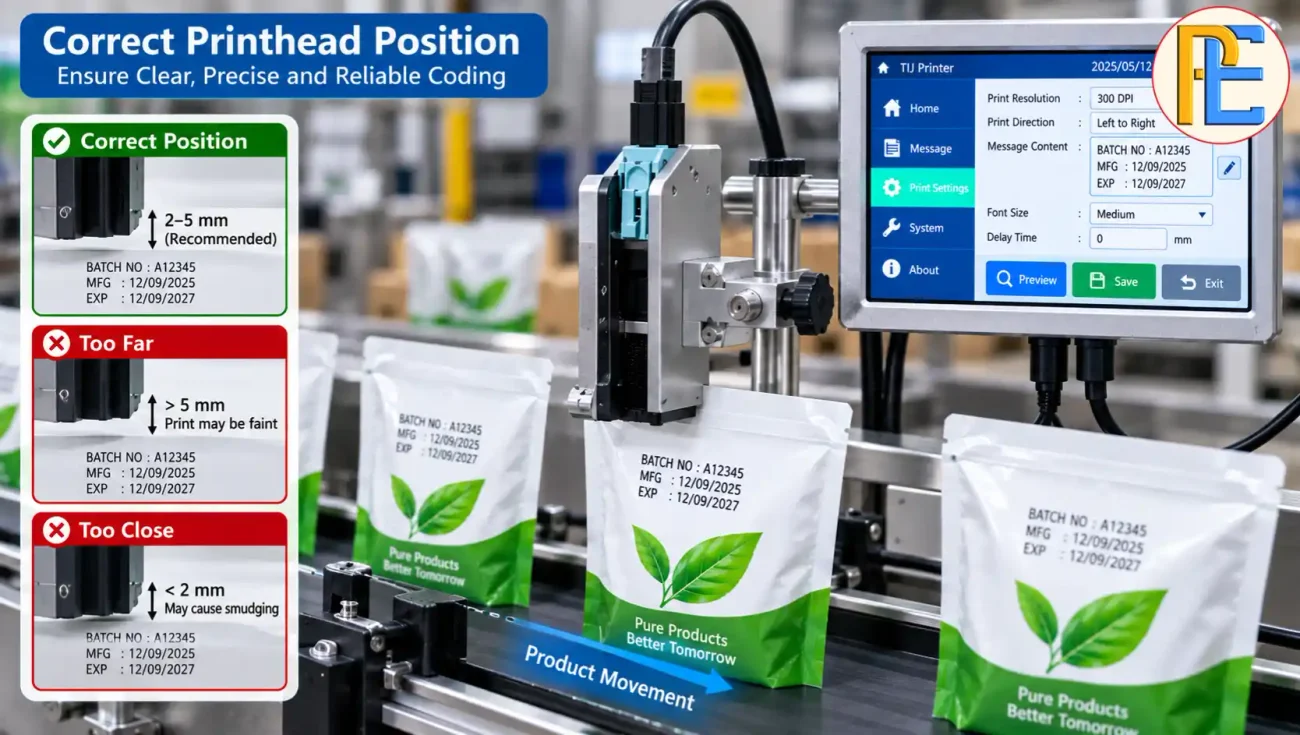
The distance between the printhead and the product affects print quality.
If the printhead sits too far away, the printed characters may become less clear. If it sits too close, the setup may also create problems depending on the printer and application.
Follow the machine manufacturer’s recommended distance.
A properly positioned printhead helps the printer place ink correctly and can reduce poor-quality prints and unnecessary reprinting.
5. Maintain the Printhead Regularly
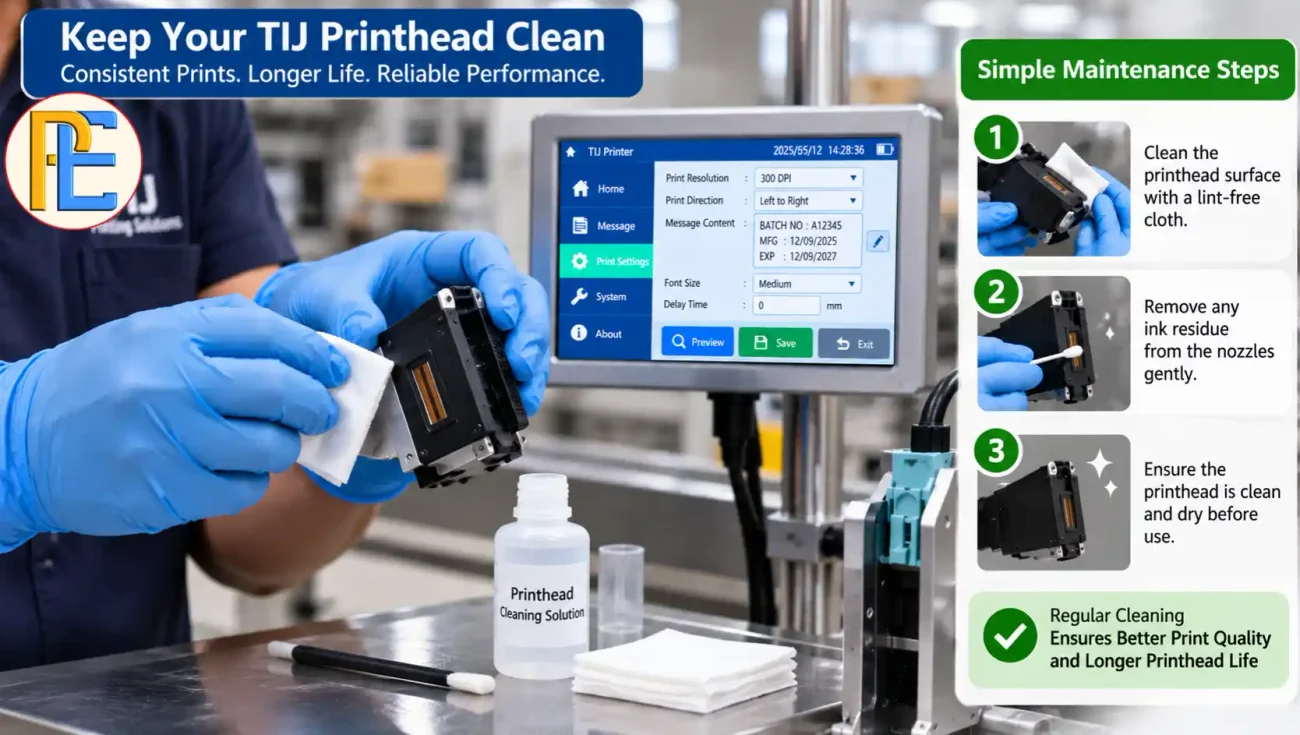
Printhead maintenance plays an important role in controlling ink consumption.
Ink buildup or contamination can affect the nozzles. When some nozzles do not work correctly, the code may contain missing dots or incomplete characters.
Operators may then clean the printer repeatedly or print the same product again.
Follow the manufacturer’s cleaning procedure. Keep the printhead clean and inspect it regularly.
Good maintenance helps maintain consistent print quality and prevents small printing problems from becoming production problems.
6. Check for Ink Leakage and Cartridge Problems
A sudden increase in ink consumption can indicate a cartridge problem.
Check the cartridge and surrounding area for signs of leakage. Also make sure that the cartridge sits correctly in the printer.
A poorly installed or damaged cartridge can affect printing and waste ink.
If ink consumption increases even though production volume and printer settings have not changed, investigate the cause instead of simply replacing cartridges more often.
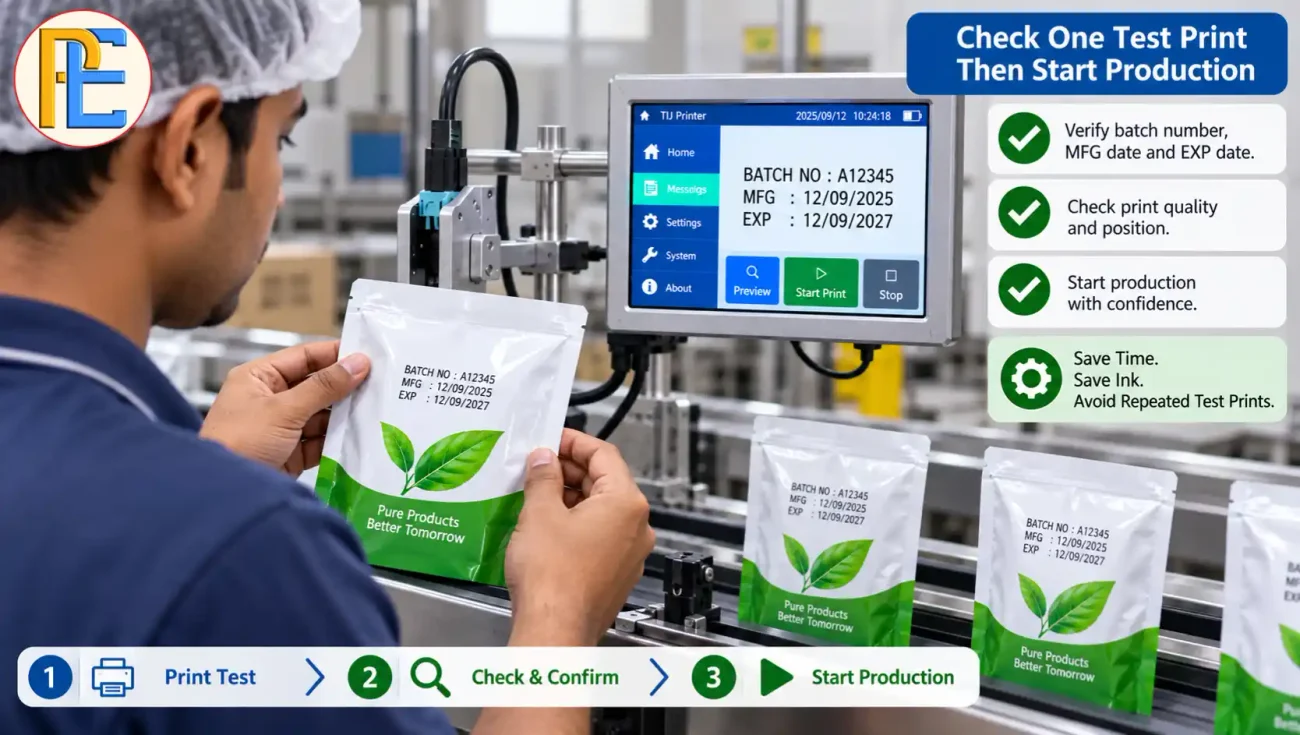
7. Reduce Unnecessary Test Printing
Test printing helps operators check the code during machine setup and product changeovers. But excessive test printing wastes ink.
Use a small number of test products to confirm the message, position, and print quality.
Once the settings are correct, start normal production.
Operators should also avoid repeatedly printing the same test message when a single test can provide the required information.
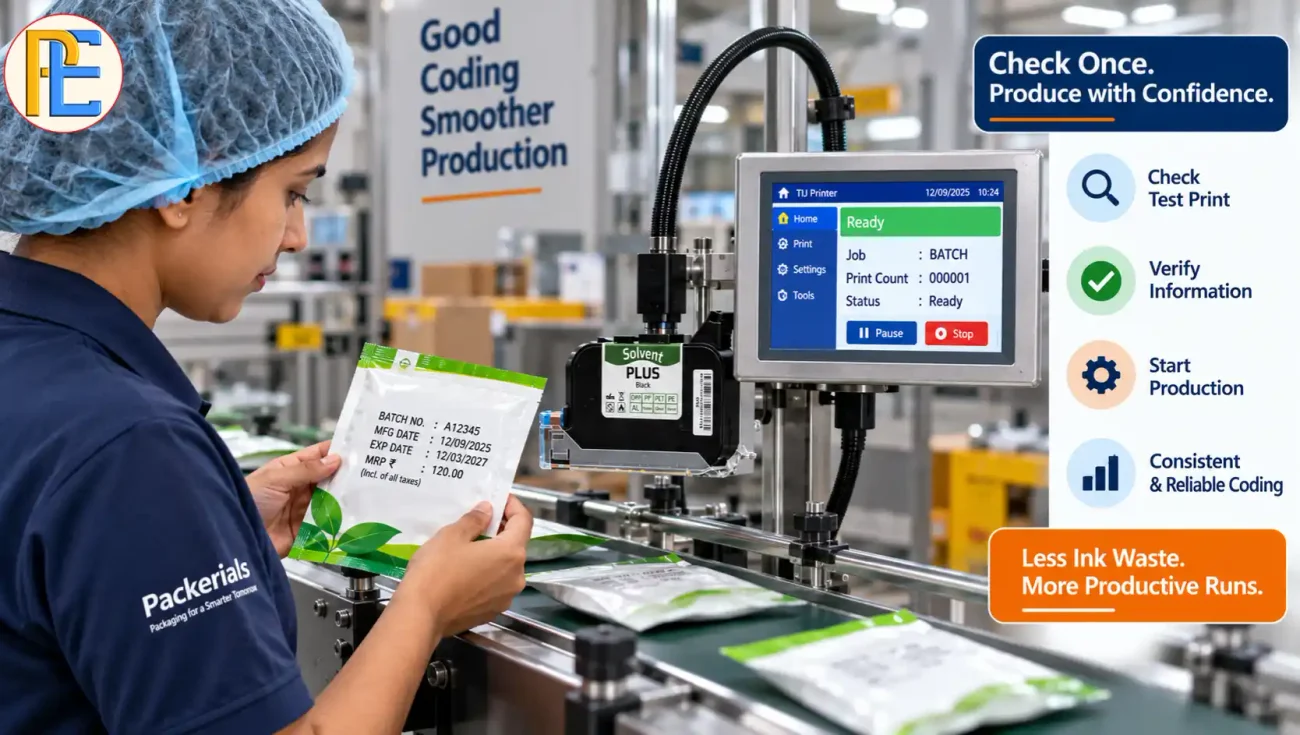
8. Match Printer Settings With Production Speed
A printer must work correctly at the actual production speed.
A code may look good when you test it slowly but become unclear when the packaging line runs at normal speed.
Check the print settings, product movement, print position, and message configuration.
Always test the code at the actual operating speed before starting a long production run.
This simple check can reduce rejected products and unnecessary reprints.
9. Choose the Correct Ink for the Packaging Material
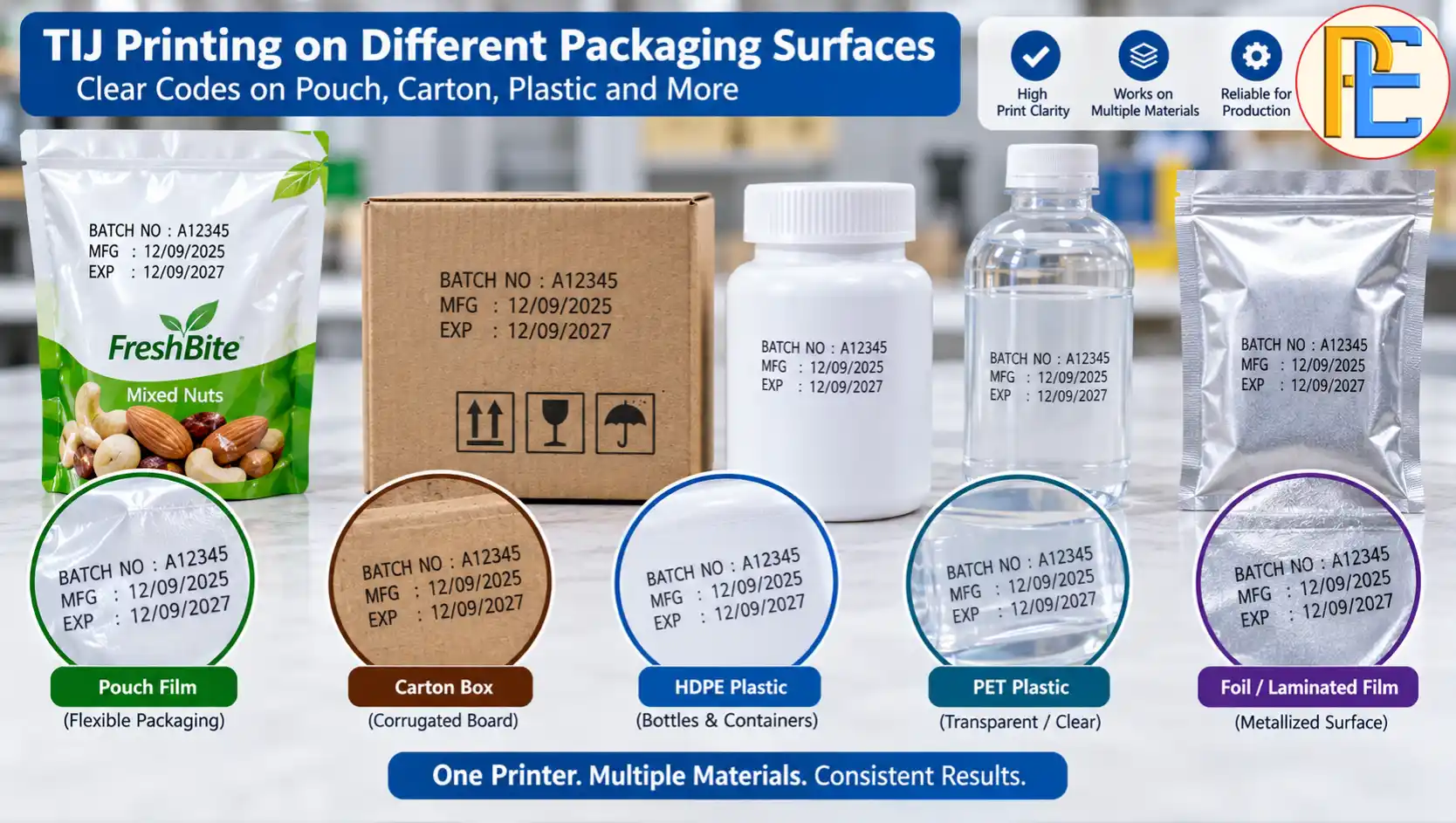
Different packaging surfaces can require different ink characteristics.
Ink must adhere properly to the surface and remain readable during handling, storage, and transport.
If the wrong ink causes poor adhesion or fading, operators may need to reprint products. This increases ink consumption and production waste.
Before selecting an ink, consider the packaging material, surface condition, production environment, and required drying time.
How Much Can You Save by Reducing Ink Waste?
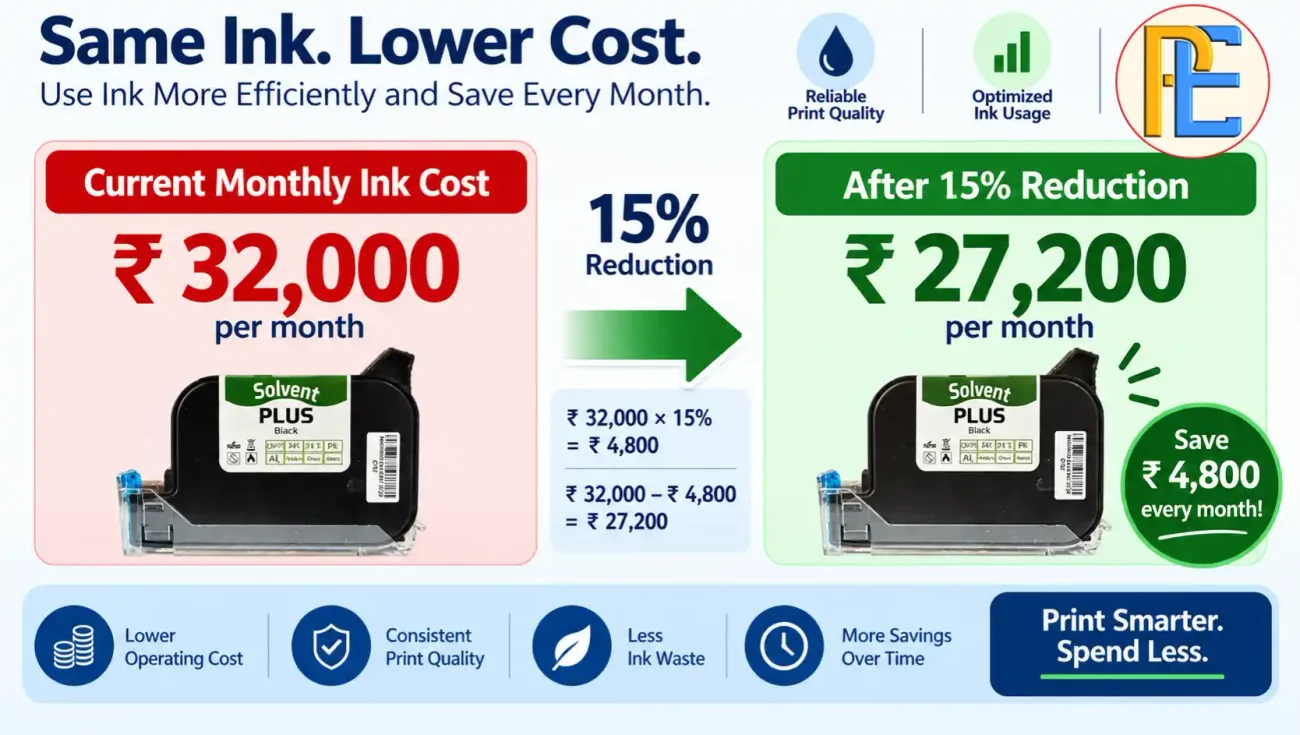
You can calculate your current ink cost before making changes.
For example:
- Cartridge price: ₹3,200
- Monthly cartridge use: 10
- Current monthly ink cost: ₹32,000
If better settings and maintenance reduce cartridge use by 15%, monthly usage becomes about 8.5 cartridges.
Your estimated monthly saving would be:
10 × ₹3,200 × 15% = ₹4,800 per month
That means a 15% reduction in cartridge consumption could save about ₹57,600 per year, based on this example.
The actual saving will depend on your printer, message length, font size, production volume, ink type, and cartridge price.
Common Mistakes That Increase TIJ Ink Consumption
- Using unnecessarily large fonts
- Printing unnecessarily long messages
- Running too many test prints
- Ignoring printhead cleaning
- Using incorrect print settings
- Reprinting unclear codes
- Ignoring cartridge leakage
- Using unsuitable ink
- Failing to test at production speed
Indian Packaging and Coding Requirements
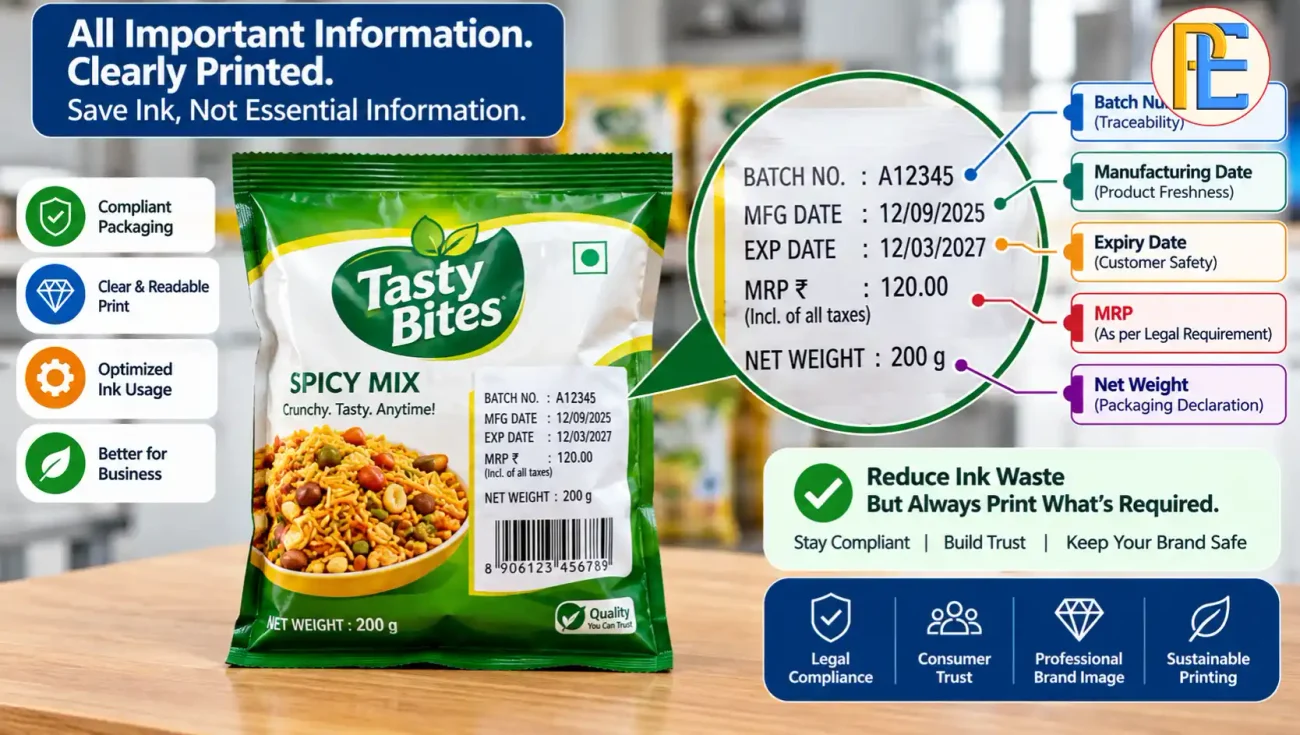
Saving ink should never mean removing legally required information.
For packaged food, applicable FSSAI labelling rules require important details such as batch or lot identification and applicable date marking. Labels must also remain clear, prominent, legible, and indelible.
Legal Metrology rules also cover declarations for packaged commodities, including details such as net quantity, MRP, manufacturer or packer information, and other applicable declarations.
So, reduce ink use through better settings, maintenance, and efficient printing, not by removing required information.
When Should You Check Your Thermal Inkjet Printer?
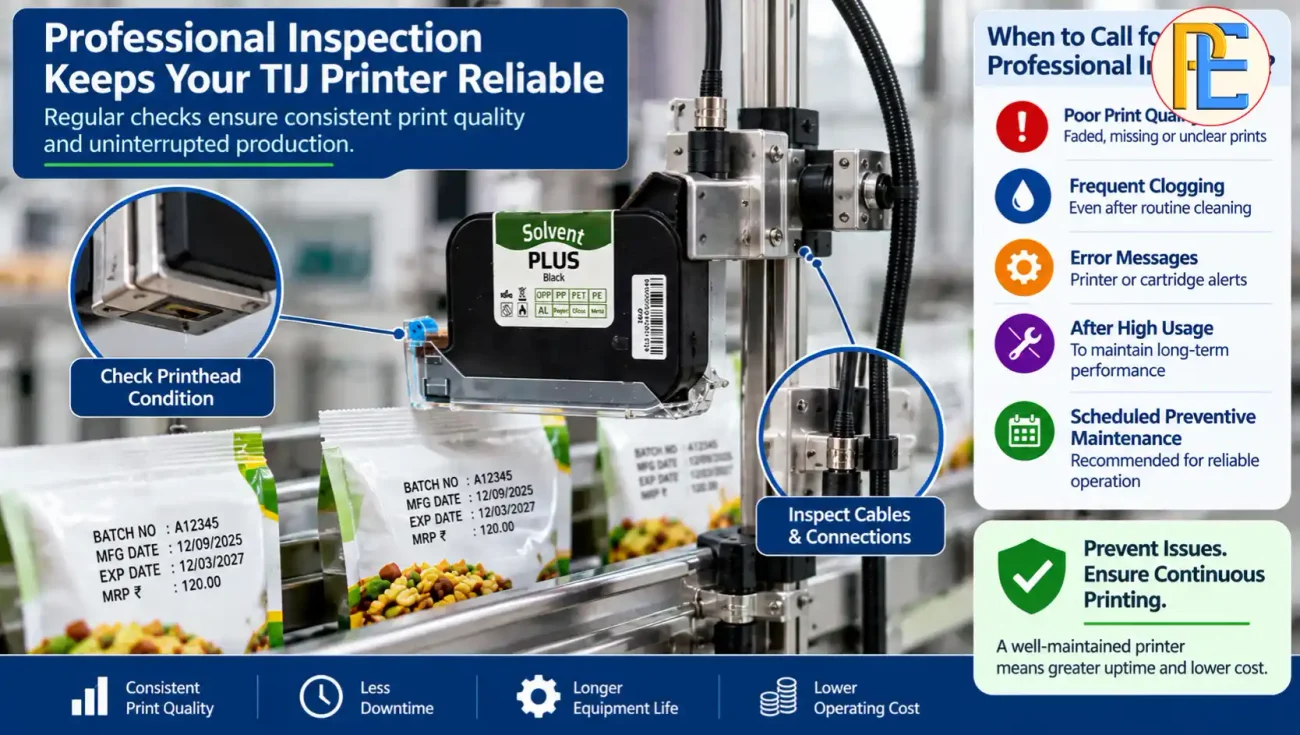
Pay attention if your printer suddenly starts using more ink.
Also check the machine when you notice:
- More frequent cartridge replacement
- Repeated nozzle blockage
- Faded or incomplete codes
- More rejected products
- Ink leakage
- Frequent cleaning
- Changes in print quality after adjusting settings
These signs can indicate that the printer needs maintenance or technical inspection.
Lower Ink Use Without Sacrificing Code Quality
Reducing ink consumption in a thermal inkjet printer does not require compromising print quality.
Start with simple checks. Use the correct font size, review your message, adjust the suitable resolution, maintain the printhead, inspect cartridges, reduce unnecessary test prints, and test the printer at normal production speed.
The goal is not to use the least possible ink. The goal is to use the right amount of ink to produce a clear, readable, and reliable code.
If you are unsure whether your TIJ setup uses more ink than necessary, review your print settings, cartridge usage, packaging material, and production speed.
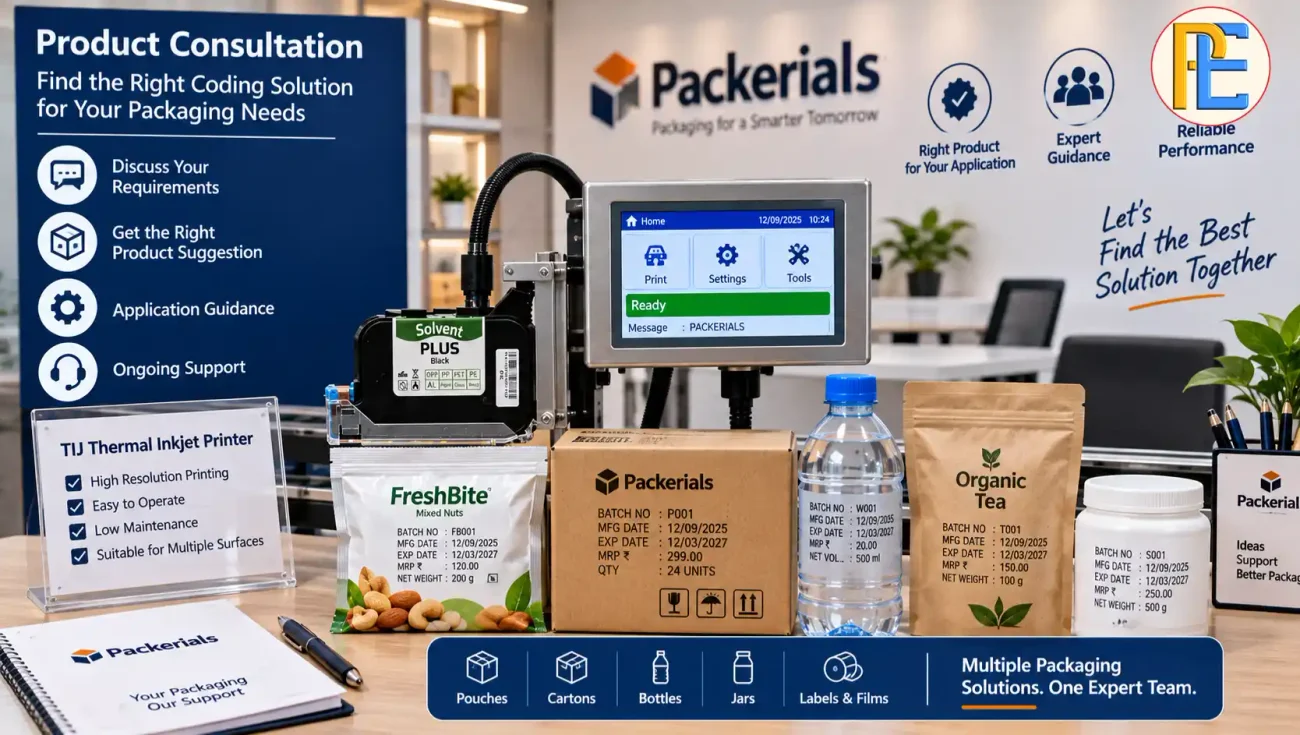
For help selecting the right thermal inkjet printer, batch coding machine, or printing setup for your production line, speak with the Packerials team. Share your product type, packaging material, production speed, and required printing details. This helps you choose a suitable coding solution without paying for features you do not need.
Also Read: https://packerials.com/online-batch-coding-machine-for-manufacturing-and-packaging/
How can I reduce ink consumption in a thermal inkjet printer?
You can reduce ink consumption by using the correct font size, avoiding unnecessary text, optimizing print resolution, maintaining the printhead, checking cartridges for leakage, and reducing unnecessary test printing.
What causes high ink consumption in a thermal inkjet printer?
High ink consumption can result from oversized fonts, long print messages, high-resolution settings, frequent test printing, poor printhead maintenance, cartridge leakage, or unsuitable ink for the packaging material.
Does font size affect thermal inkjet printer ink consumption?
Yes. Larger characters generally require more ink. Using the smallest font size that provides clear and readable batch codes can help reduce ink usage.
How does print resolution affect TIJ printer ink usage?
Higher print resolution can use more ink because the printer places more dots in the printed code. Choose a resolution that provides the required print quality without unnecessary ink usage.
Can regular printhead maintenance reduce TIJ ink consumption?
Yes. Proper printhead maintenance helps prevent blocked or contaminated nozzles, inconsistent printing, and unnecessary reprints, which can contribute to higher ink consumption.
How can I reduce ink waste during test printing?
Use only the number of test prints needed to verify the message, print position, and quality. Once the settings are correct, start production instead of repeatedly printing test codes.
Does packaging material affect thermal inkjet ink consumption?
Yes. Different surfaces require different ink characteristics. Using the correct ink for pouches, cartons, plastics, or other packaging materials can improve adhesion and reduce reprinting and ink waste.
How much can I save by reducing thermal inkjet printer ink consumption?
The savings depend on cartridge price, monthly usage, production volume, message length, and printer settings. Even a 15% reduction in cartridge consumption can create significant monthly and yearly savings.
What should I check if my TIJ printer suddenly uses more ink?
Check the print settings, message length, font size, printhead condition, cartridge installation, possible ink leakage, packaging material, and production speed. A sudden increase may indicate a maintenance or cartridge issue.
How can Packerials help with thermal inkjet printing solutions?
Packerials can help businesses select suitable thermal inkjet printers, batch coding machines, inks, and printing setups based on their packaging material, production speed, and coding requirements.